
Надішліть абоненту, з яким втратили зв'язок, SMS у форматі: «!⎵Текст», де ⎵ – це пробіл (лапки не потрібно ставити)
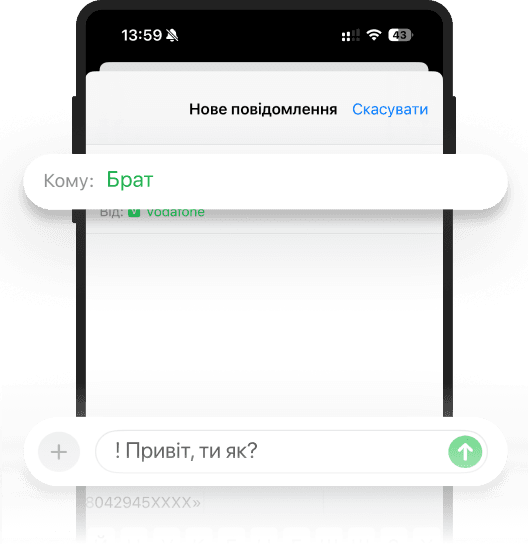
Щойно адресат отримає повідомлення, ми відразу проінформуємо вас.
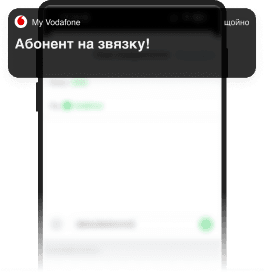
Функцію не потрібно додатково підключати.
Для її використання необхідно відключити у налаштуваннях телефона функцію «Отримувати звіт про доставку» у розділі «Повідомлення» і скористатися інструкцією вище.
Функцію не потрібно додатково відключати.
Якщо SMS буде відправлено стандартно – без знака «!», то функція не використовується.